The Easiest Way to Print and Mail ServiceTitan Invoices
No complicated integration is required to get started. Export your ServiceTitan invoices as PDF files, upload them securely to DocuSend, and we will print, fold, insert, apply postage, and mail them for you.
Upload Your ServiceTitan Invoices
Three Steps to Mail Your ServiceTitan Invoices
Get Started Today
1. Export Your Invoices
Generate your customer invoices through your normal ServiceTitan workflow and save or export them as properly formatted PDF files.

2. Upload to DocuSend
Log in to the secure DocuSend portal and upload your invoice files. Review the mailing details and submit the job for processing.

3. We Print and Mail Them
DocuSend prints, folds, inserts, applies postage, and submits your invoices to USPS mail—typically within one to two business days.
Make Paper Mail Easier to Manage
Paper Mailing Takes Valuable Office Time
Running a busy field service company means your technicians, dispatchers, and office staff already have more important work to manage. When customers still require paper invoices, your team may be left printing documents, folding pages, stuffing envelopes, applying postage, and preparing mail for USPS.
Those repetitive tasks consume valuable administrative time and can delay invoices from reaching customers.
DocuSend Handles the Physical Mailing
If your ServiceTitan workflow can generate customer invoices as PDF files, you can securely upload them to DocuSend for professional printing and mailing—without purchasing equipment, maintaining postage supplies, or making trips to the Post Office.
DocuSend eliminates the physical mailroom work so your team can spend less time handling paper and more time serving customers. No monthly fees. No contracts. No minimum mailing volume.
Simple Invoice Mailing Without Mailroom Overhead

Reduce Office Administration
Eliminate printer maintenance, paper handling, envelope stuffing, postage application, and Post Office trips from your team's workload.

Scale with Seasonal Demand
Increase or decrease mailing volume as service demand changes without buying additional printers, inserters, or mailroom equipment.

Address Verification
DocuSend uses USPS address-processing tools to help identify incomplete or undeliverable address information before mail enters the postal system.
Spend Less Time Mailing and More Time Serving Customers
Get Started TodayDocuSend helps field service companies outsource repetitive print-and-mail work without adding another monthly software subscription.
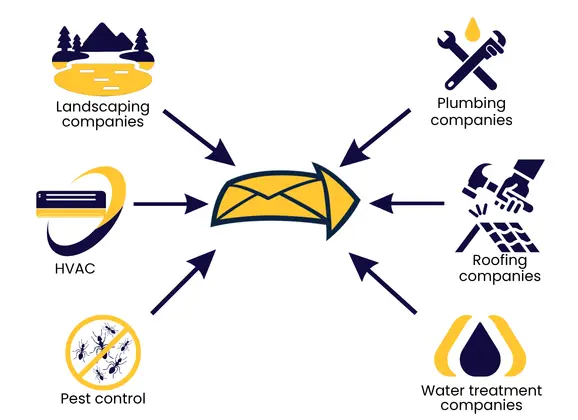
Ideal for Field Service Businesses
- ✓ HVAC contractors
- ✓ Plumbing companies
- ✓ Electrical contractors
- ✓ Garage door service companies
- ✓ Roofing companies
- ✓ Pest control providers
- ✓ Water treatment companies
- ✓ Appliance repair businesses
- ✓ Landscaping companies
- ✓ Other home and commercial service providers
ServiceTitan Document Mailing
Upload Your ServiceTitan FilesWhether you mail daily, weekly, or monthly, DocuSend provides a simple, straightforward way to submit your ServiceTitan PDF files for printing and mailing.
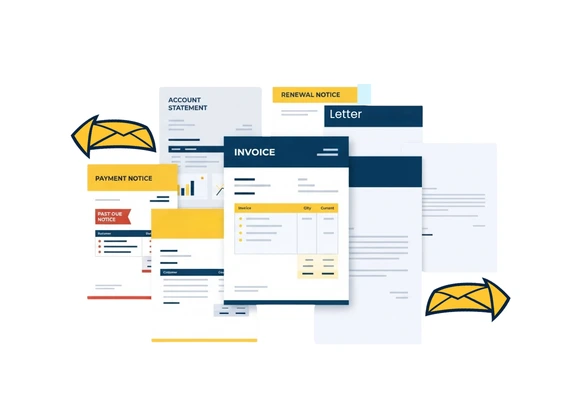
Use DocuSend to Mail
- ✓ Customer invoices
- ✓ Account statements
- ✓ Payment reminders
- ✓ Past-due notices
- ✓ Service notices
- ✓ Maintenance-plan renewals
- ✓ Customer letters
- ✓ Promotional or seasonal communications
- ✓ Other PDF documents
Frequently Asked Questions
Clear Paper Invoices Off Your Desk
Your office team should not have to spend valuable time printing, folding, inserting, and mailing invoices.
Export your ServiceTitan documents as PDFs, upload them securely to DocuSend, and let us handle the physical mailing process.
ServiceTitan is a trademark of ServiceTitan, Inc. DocuSend is an independent service provider and is not affiliated with, endorsed by, or sponsored by ServiceTitan.